

- Install the AutoBrowser extension.
-
Pin the AutoBrowser extension for easy access.
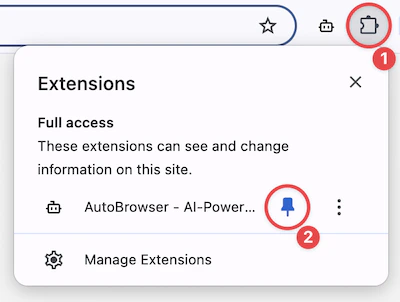
- Open the AutoBrowser extension by clicking the extension icon in the toolbar.
-
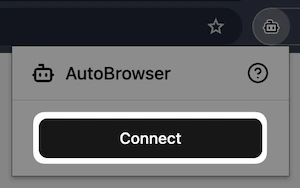
Click “Connect” to connect the current tab to the MCP server.
Get Started